In This Post I Am Going To Show You How To Install Ruby In Termux With All The Things. We Will Cover All The Details Related To Ruby, How To Use It And How To Run Our First Ruby Script Directly From Termux. We Will See How We Can Use Gem, Ruby’s Package Manager, To Install Extra Libraries For Our Projects. We Will Start From The Basic Definition Followed By The Installation Of Ruby And Also The Usage Of Ruby In Termux. So Without Wasting Much Of The Time Lets Start,
What Is Ruby?
Ruby Is An Open Source Programming Language Known For Its Clean, Readable Syntax And Focus On Developer Hand. It Is One Of The Most User Friendly Language That A Person Of Tech Must Learn. It Is Used To Write Small Scripts, Automate Tasks And Ruby Based Tools. One Of The Best Thing About This Language Is It Comes Bundled With Gem, A Package Manager For Installing Extra Libraries That Can Be Used For More Development In Termux And Other Linux Platforms.
How To Install Ruby In Termux?
Installing Ruby In Termux Is An Easy Process As Installing Python In Termux. We Will Just Update And Upgrade All The Termux Packages Followed By The Installation Of Ruby In Termux And Then We Willl Verify The Installation Of The Ruby In Termux By Checking Its Version. Make Sure You Have An Active Internet Connection During This Process. Follow The Below Steps One By One To Install Ruby In Termux:
Step 1: First Of All Open The Termux App And Update And Upgrade All The Termux Packages Using pkg update && pkg upgrade -y Command.
pkg update && pkg upgrade -yStep 2: After Updating All The Termux Packages In Termux We Can Now Install Ruby In Termux Using pkg install ruby -y Command In Termux And Wait For The Installation To Be Completed.
pkg install ruby -y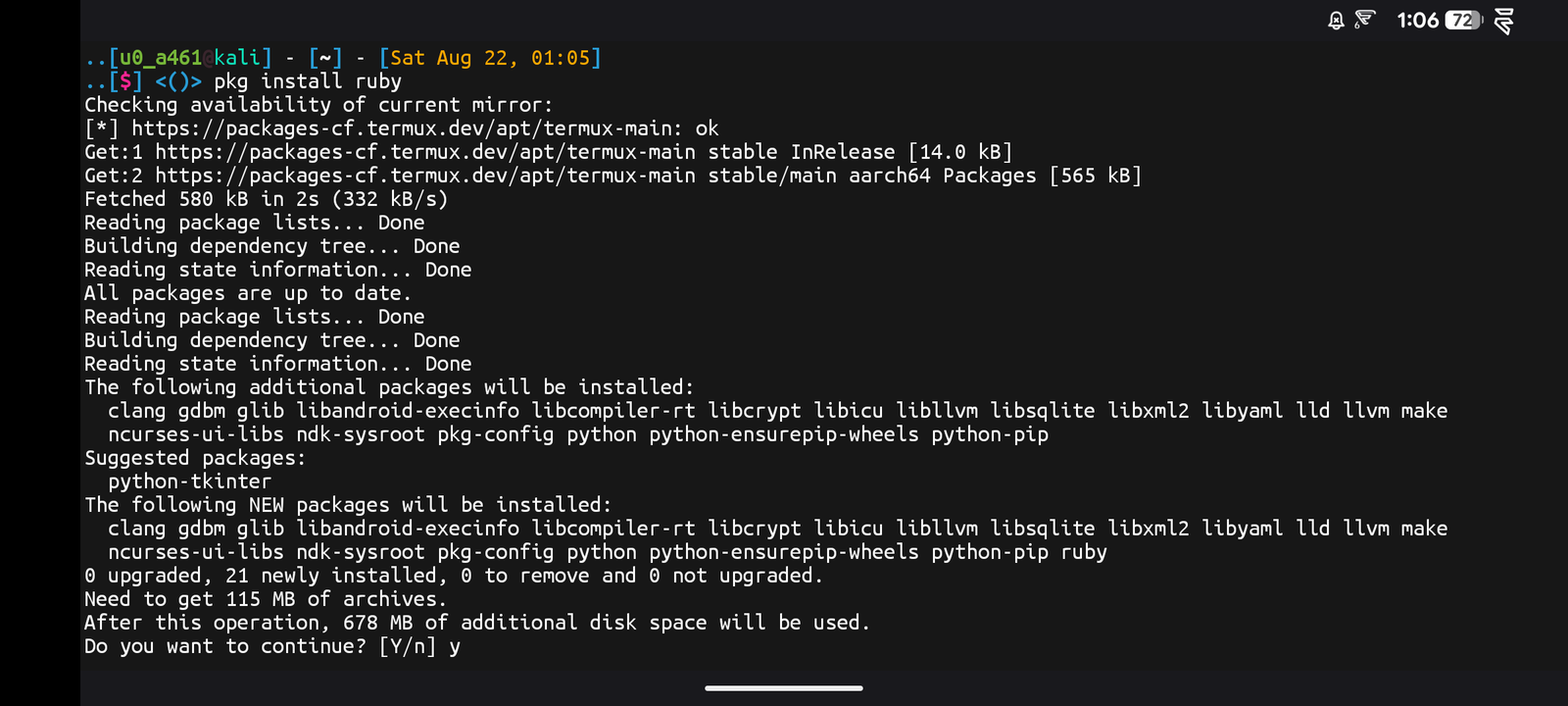
Step 3: Once The Installation Has Been Completed We Need To Verify The Installation Using ruby -v Command.
ruby -vOnce The Command Has Been Executed It Will Show The Current Version Of Ruby In Termux That Defines The Installation Of Ruby In Termux. The Gem Will Be Auto Installed In Termux Using Ruby So If You Want To Check The Version Of Gem Or Verify The Installation In Gem In Termux You Can Simply Type gem -v Command To Check Its Current Version.
How To Use Ruby In Termux?
Once The Installation Of In Termux Has Been Completed Now We Can Move On The Next Step That Is How Can We Use The Ruby In Termux. We Will Create Our First Ruby Script In Termux And We Will See How Can Edit And Run It Also. We Will Create A Ruby File Then Add Some Stuff In It And Then We Will Execute The Script In Termux. Follow The Below Steps One By One To Use Ruby In Termux:
Step 1: First Of All We Will Create A Ruby File In Termux Using nano app.rb Command And Add A Script To It. Make Sure That You Have Installed Nano Earlier From My Posts.
nano app.rbStep 2: Now Add A Script To It And Save It In Termux. In My Case I Am Adding puts "Hello From Ruby In Termux!" Code Line It And Save It Using Ctrl + X And Then Y And Enter.
puts "Hello From Ruby In Termux!"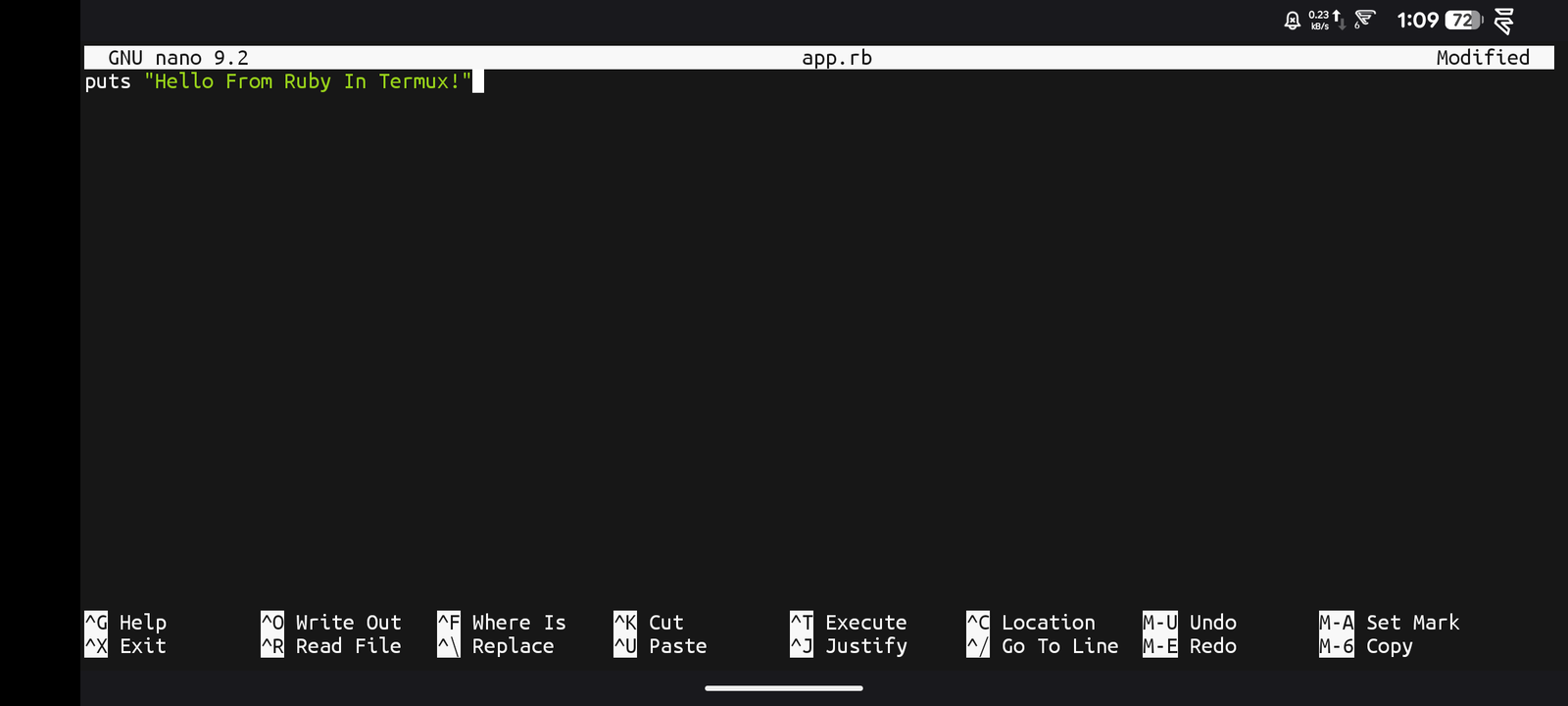
Step 3: Now To Run The File We Will Simply Type ruby app.rb Command To Execute The Script.
ruby app.rb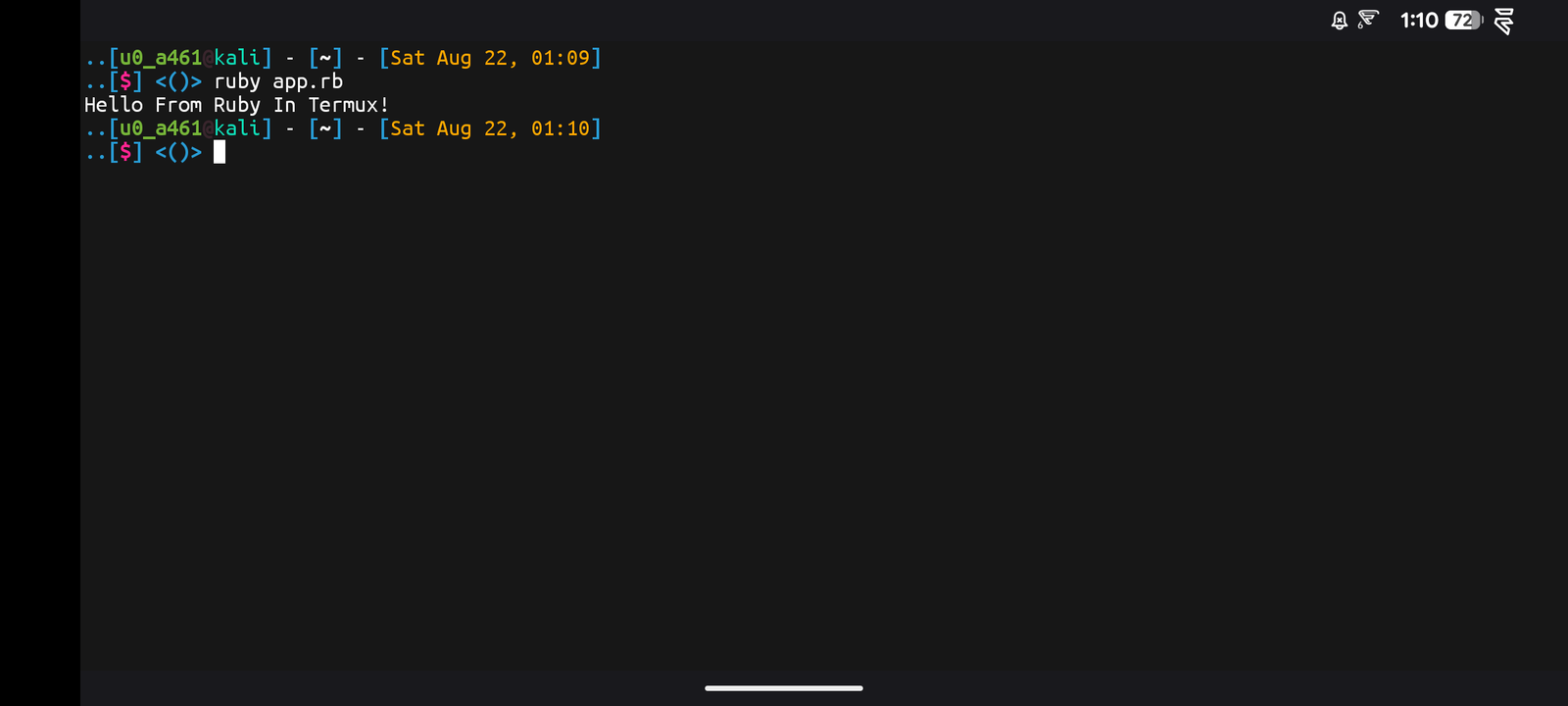
Once The Command Has Been Executed It Will Show Hello from Ruby in Termux! Printed On The Screen, Confirming Ruby Is Fully Working. We Can Also Use Gem To Install Extra Libraries For Our Projects In Termux. I Have Provided A List Of Essential Commands In Ruby To Manage Scripts And Packages Properly. There Are Also Many Other Things That We Can Do Using Ruby Language. We Will See Some Of The Important Commands In Termux.
Essential Commands In Ruby:
Installing A Gem (Package): If You Want To Install A Library Like Colorize For Adding Colored Text To Your Script Output You Need To Type gem install colorize Command To Do That
gem install colorizeListing Installed Gems: If You Want To Check All The Gems Currently Installed You Can Type gem list Command To See Them All.
gem list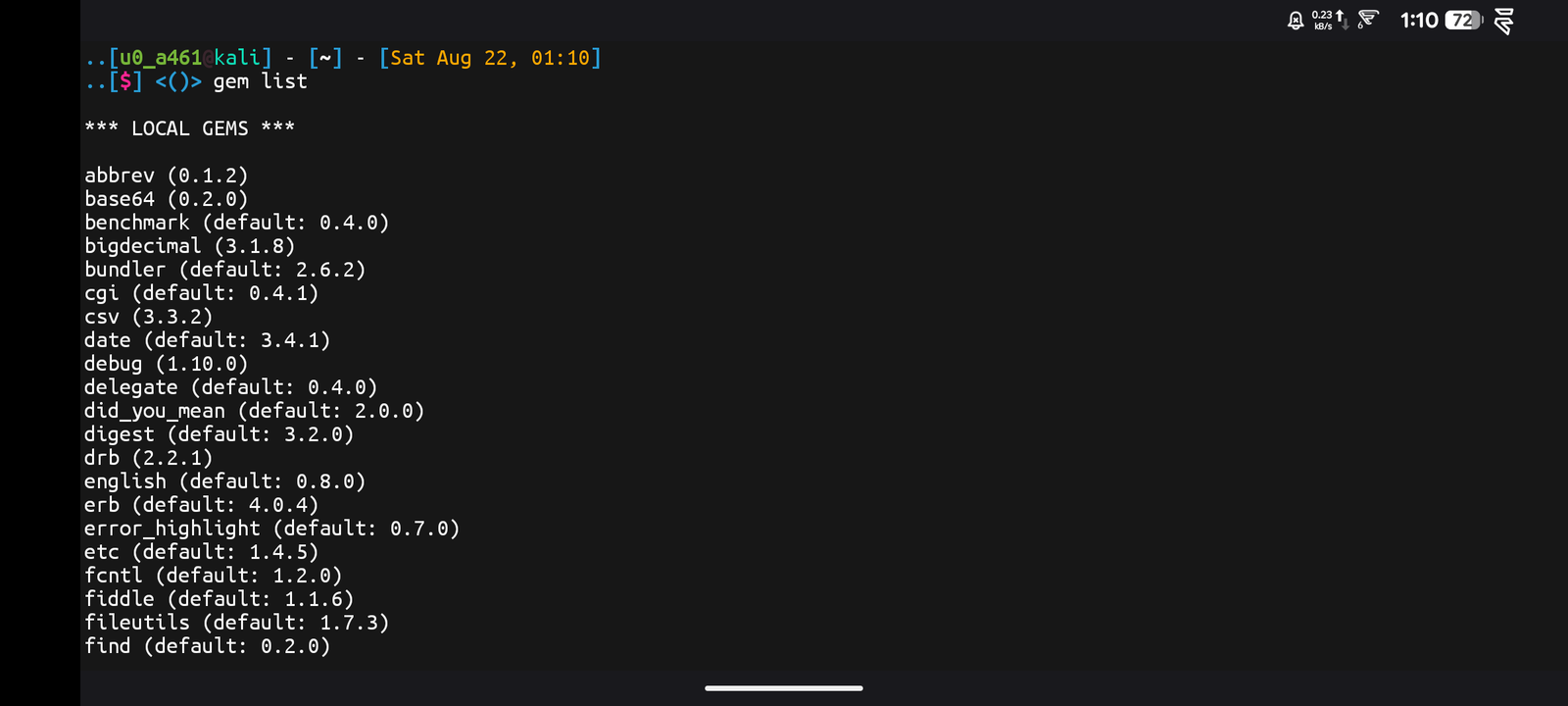
These Were Some Essential Commands In Ruby That Can Be Used In Termux. There Are Also Many Other Commands To Run In Ruby In Termux You Can Check All Of Them By Typing ruby --help Command In Termux.
Common Errors And Fixes:
Ruby: Command Not Found: This Error Occurs When Ruby Has Not Been Successfully Installed In Termux. We Need To Install Ruby In Termux Again Using pkg install ruby -y Command To Resolve The Error.
pkg install ruby -y Gem Install Fails With A Build Error: This Error Occurs When A Gem Needs To Compile Native Extensions And Is Missing Build Tools. Install Them First Using pkg install clang make -y Command, Then Retry The Gem Install.
pkg install clang make -yConclusion:
Ruby Is One Of The Most Beginner Friendly Programming Languages In Termux And Other Linux Systems. We Have Covered A Lot Of Details, Installation And Usage Of Ruby In Termux. I Hope You Have Liked This Post. If You Have Still Any Questions Regarding This Post You Can Tell Me In The Comments. Thanks For Reading.