
In This Post We Are Going To Install Kali Nethunter In Termux. We Will Install A Full Fledged Kali Linux Operating System In Our Android Device. We Will First Install The Basic Things And Apps And Then We Will Install Kali Nethunter In Termux Followed By Settting Up A Graphical User Interface In It. Make Sure To Follow Every Step In A Manner To Avoid Any Error. So, Lets Start.
What Is Kali Nethunter?
Kali Nethunter Is The Mobile Version Of Kali Linux. It Enables The User To Install Kali Linux Operating System In A Mobile Device Via Termux And Nethunter App. Kali Nethunter Gives You Access To The Thousands Of Tools That We Use In Kali Linux. It Can Be Installed As Command LINE Interface And Graphical User Interface In An Android Device. It Is The Most Popular Linux Based Operating System.
How To Install Kali Nethunter In Termux?
Kali Nethunter Can Be Installed In Termux Without Both Rooted And Non Rooted Method But In This Tutorial I Am Going To Show You How To Install Kali Nethunter In Termux Without Root. You Need Around 8gb Of Free Storage In Your Device And A Stable Internet Connection For This Intallation. Follow The Below Steps One By One To Install Kali Nethunter In Termux:
Step 1: First Of All Open The Termux App And Make Sure You Have Downloaded The Official Version And Not From The Play Store.
Step 2: Now Update And Upgrade All The Termux Packages In Termux Using pkg update && pkg upgrade -y Command.
pkg update && pkg upgrade -yStep 3: Now Install Wget In Termux In Order To Download The Downloading Script Of Kali Nethunter. For That Type pkg install wget -y In Termux.
pkg install wget -y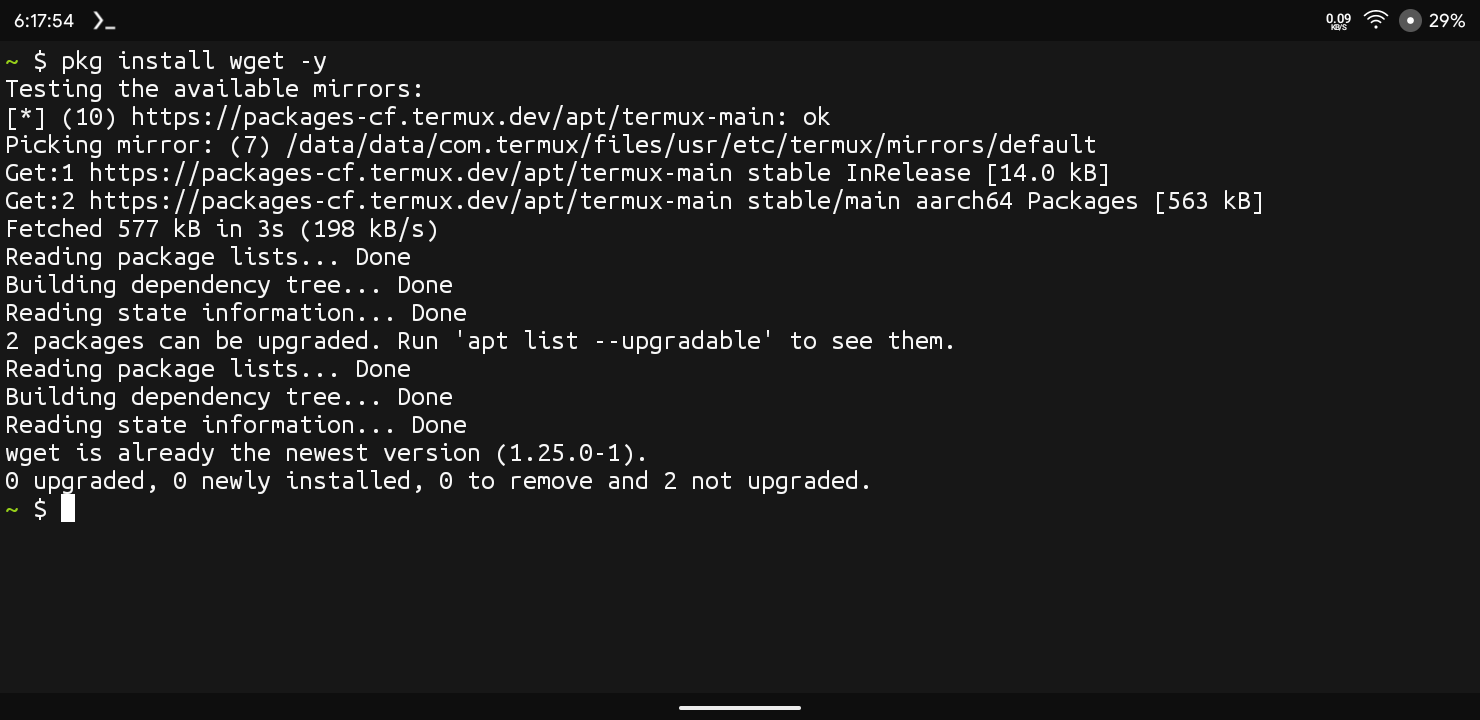
Step 4: Now Download The Downloading Script Of Kali Nethunter Using wget -o Install-nethunter-termux https://offs.ec/2mcezwr Command.
wget -O install-nethunter-termux https://offs.ec/2MceZWr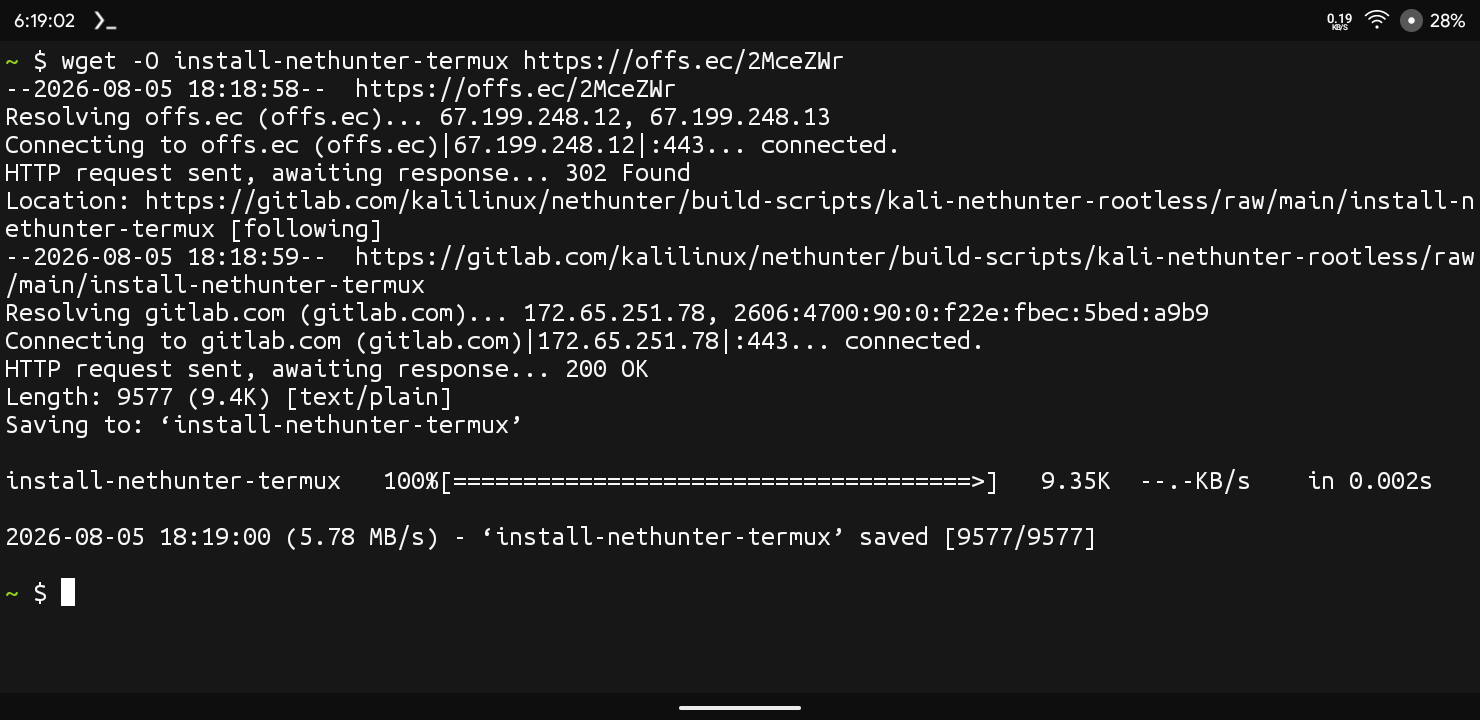
Step 5: Now Give The Executable Permissions To The Downloading Script Using chmod +x install-nethunter-termux Command.
chmod +x install-nethunter-termuxStep 6: Now Run The Installer In Termux Using ./install-nethunter-termux Command And Wait For The Menu To Appear.
./install-nethunter-termuxStep 7: Now Type 1 In Order To Install The Full Fledged Version Of Kali Nethunter With Tools And Press Enter.
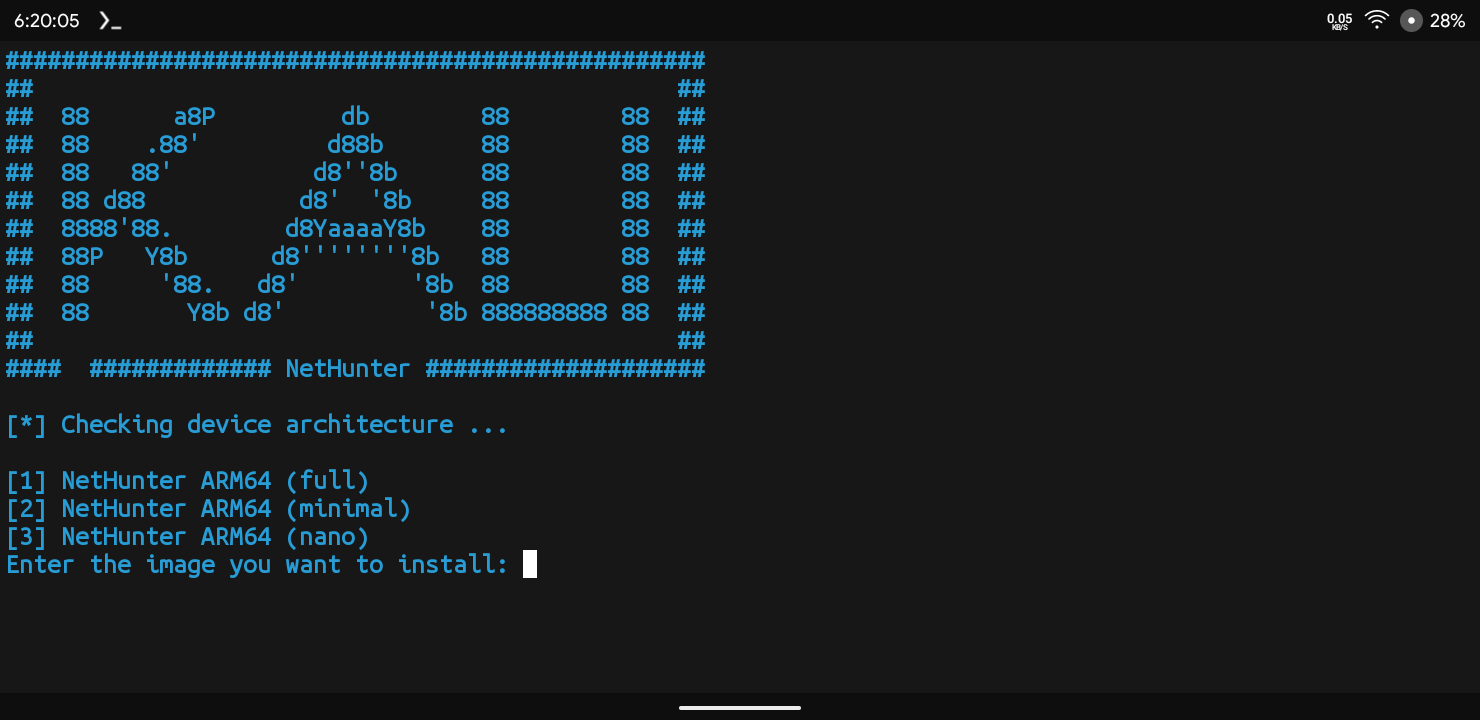
The Setup Will Start Downloading The Kali Nethunter File In Termux. This Can Take A Good Amount Of Time Based On Your Internet Speed. After The Downloading The File It Will Start Extracting It That Can Take More Than 15 Minutes So Wait Calmly And Do Not Close The Termux App. Once The Download And Installation Of The Kali Nethunter Will Complete It Will Ask You Whether To Keep The Downloaded File Or Not. Just Type N And Press Enter.
This Was A Detailed But Simple Steps Of Installing Kali Nethunter In Termux. Once You Have Completed The Installation We Need To Setup Kali Nethunter In Termux. For That We Need To Setup Password And Login Into The Kali Nethunter.
Also Read : How To Install Sherlock In Termux : Complete Setup Guide 2026
How To Setup Kali Nethunter In Termux?
After The Installation Of Kali Nethunter In Termux With A Command LINE Interface We Will Add A Desktop View In That Android Device So That We Can Install And Run A Real Kali Linux In Our Android Device. Folllow The Below Steps To Setup Kali Nethunter In Termux:
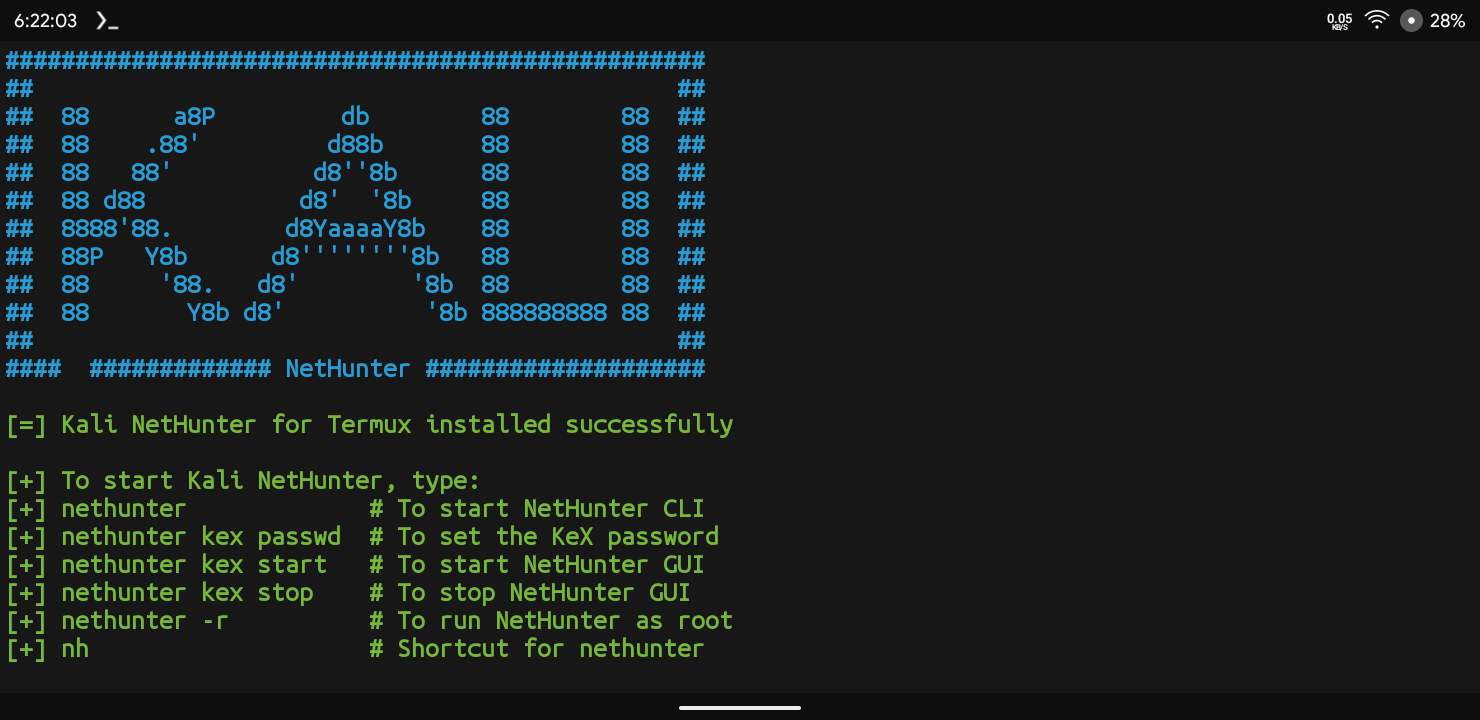
Step 1: First Of All We Need To Setup A Password For Kali Nethunter Desktop Environment. Type nethunter kex passwd Command In Termux.
nethunter kex passwdStep 2: Now Type The Password You Want To Setup For The Desktop Environment And Press Enter Then Confirm The Password Again. Type N For The View Only Password.
Step 3: Now Start The Kali Nethunter Graphical User Interface Using nethunter kex & Command.
nethunter kex &Step 4: Once The Server Has Been Setup You Need To Install Nethunter Kex App In Your Device From The Kali Nethunter Store.
Step 5: Now Open The Nethunter Kex App And Type The Password We Set In The Terminal In Step 2.
Step 6: Now Click On The Connect Button On The Upper Right Corner. You Will See A Full Fledged Linux Operating System Will Appear And You Can Use It.
This Is How We Can Setup A Full Fledged Kali Nethunter In Termux. Now You Can Use An External Keyboard And Mouse For It And Run The Things You Want To But Make Sure To Be Ethical.
Errors And Fixes In Kali Nethunter:
Permission Denied Error: If You Encounter Any Permission Denied Error While Running Kali Nethunter In Termux You Just Need To Type termux-fix-shebang nethunter Command In Termux To Fix This.
termux-fix-shebang nethunterStorage Access Problem: If You Hit With A Storage Access Problem In Termux, You Can Just termux-setup-storage Command To Resolve This Error.
termux-setup-storageConclusion:
Kali Nethunter Is A Best Choice For Those Geeks Who Are Not Able To Install And Run Kali Linux On Their Laptop Or For Those Who Do Not Have A Laptop For Penetration Testing. We Can Install Also External Tools In Our Operating System. I Am Currently Using Kali Nethunter In My Android And It Feels So Smooth To Use. I Hope You Have Liked This Post If You Have Any Question Regarding This Post You Can Tell Me In The Comment Section. Thanks For Reading.






1 thought on “How To Install Kali Nethunter In Termux No Root Guide 2026”