

In This Post We Will Be Seeing How To Install Git In Termux, One Of The Most Important Installation In Termux. It Is Very Essential Installation For Termux As We Install Almost Every Open Source Tool From GitHub. In This Article We Will Cover All The Important Things About Git And How To Configure And Install Git In Termux. Like Wise Always We Will Start With The Basic Definition Followed By The Installation Then We Will Configure Git In Termux. So Lets Start.
What Is Git?
Git Tracks The Changes To Files Over Time That Let The Codes Collaborate And Roll Back Mistakes In The Previous Versions Of That Project. Sometimes People Encounter Git With GitHub Which Is Used To Host Git Repos Publicly And Allows Users To Share Their Code Publicly. Almost Every Open Source Tool Is Visible On GitHub.
How To Install Git In Termux?
We Will Install Git In Termux With Just A Simple Command But First We Will Update The Termux Then We Will Install Git In Termux Then We Will Configure It In Termux. Follow The Below Steps One By One Install Git In Termux:
Step 1: First Of All Open Termux And Update, Upgrade All The Termux Packages Using pkg update && pkg upgrade -y Command.
pkg update && pkg upgrade -yStep 2: Now Install The Git In Termux Using pkg install git -y Command.
pkg install git -y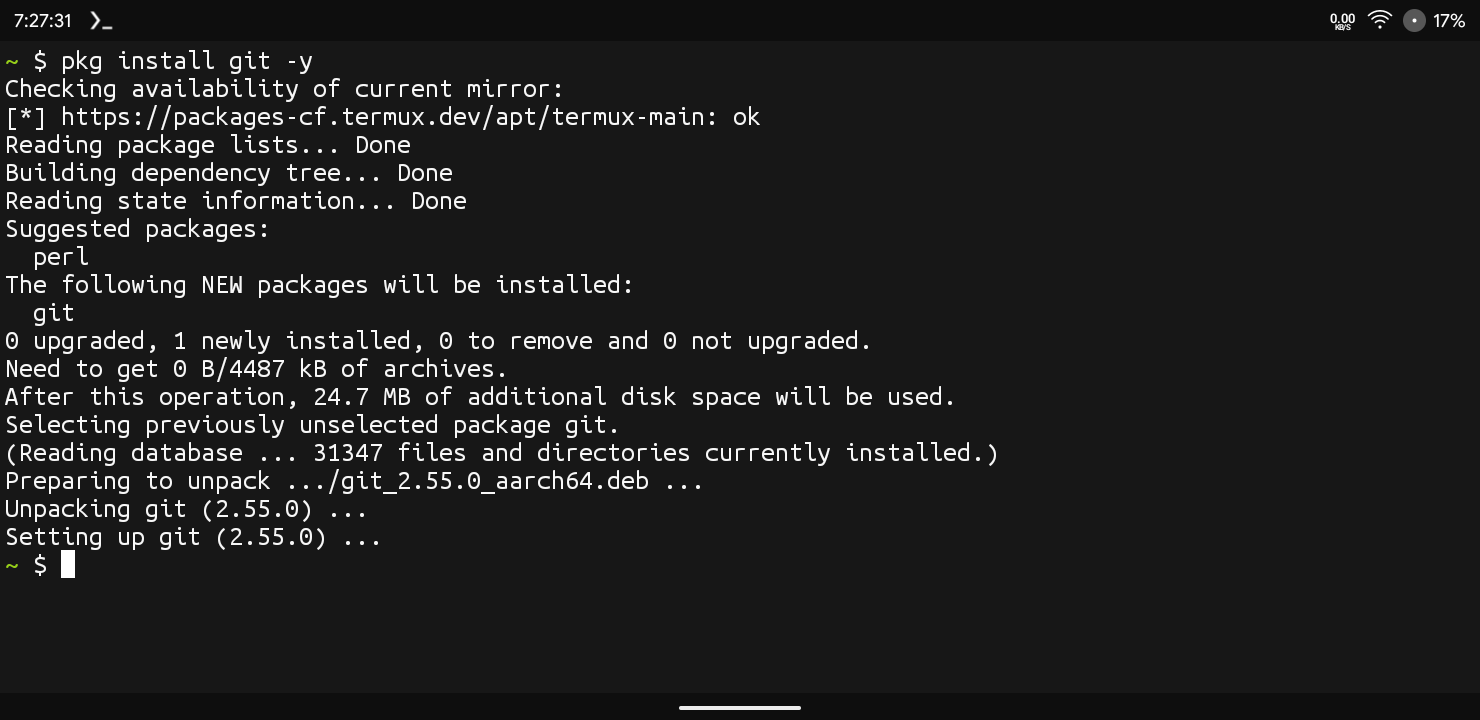
Step 3: Now Verify The Installation Using git --version Command In Termux. This Command Will Show The Current Version Of Git That You Are Using.
git --version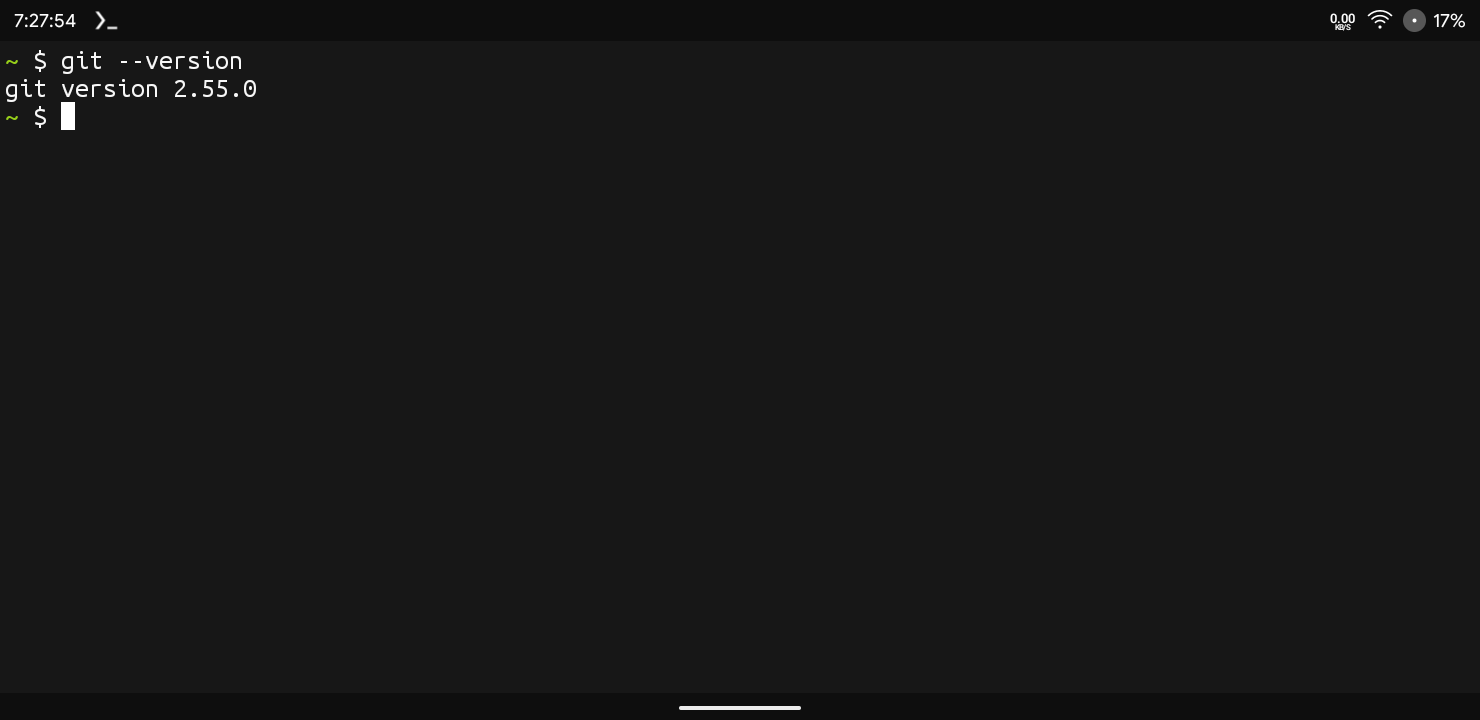
Through These Simple Steps We Have Installed Git In Termux. We Also Verified The Installation By Checking The Current Version Of Git. Now We Will Configure Git In Termux And Also See Some Important Commands Used In Termux.
How To Configure Git In Termux?
After The Installation Has Been Completed We Will Login Into The GitHub Using Our Email And Password In Our Termux. Follow The Below Steps To Configure Git In Termux:
Step 1: Type The Commands Like git config --global user.name "Your Name" And git config --global user.email "your.email@example.com" Command To Configure Git In Termux. You Can Use A Dummy Email If You Are Not Pushing The Code.
git config --global user.name "Your Name"
git config --global user.email "your.email@example.com"Step 2: Now Save The Things That We Set For Git Using git config --list Command.
git config --listAfter We Have Configured Git In Termux We Will Some Of The Important Commands That We Use In Termux Like Cloining A Repo And Other Things.
Essential Commands In Git:
Clone A Repository : If You Want To Clone Any Repository We Just Need To Type git clone Followed By The Link Of The Repo That We Want To Clone. Like I Have Clonned The Sherlock Tool In The Example:
git clone https://github.com/username/repository-name.gitCheck Status : If You Want To Check The Status Of The Git Which Means To Check The Lasts Edits Of The File We Will Just Type git status Command.
git statusView Commit History: If You Want To See The Commit History In Git You Can Use Git Log Command That Will Show The Last Changes Committed To The Repository.
Errors And Fixes In Git:
Git Command Not Found: This Shows That The Git Has Not Been Installed Successfully In Termux You Just Need To Install The Git Again In Termux Using pkg install git -y Command.
pkg install git -yFatal: Destination Path Already Exists : This Errors Occurs When You Have Already Clonned That File And You Want To Clone That File Again. You Just Need To Remove The File Or Folder Using rm -rf "Folder Name" To Remove That File And Clone It Again.
rm -rf "Folder Name" Replace The "Folder Name" With Your Own Name That Shows The Error For And Make Sure To Check The Folder For Important Data As The Data Will Be Deleted Permanently.
Conclusion:
This Was All About How We Can Install Git In Termux And How We Can Setup Git In Termux. Git Is An Important Thing To Install And Its Sometimes One Of The First Things To Install In Termux. In My Opinion Installing Git In Termux Will Be Top Priority After Installing Termux For The First Time. I Hope You Understood This Post Well And Have Completed How To Install Git In Termux. Thanks For Reading.






1 thought on “How To Install Git In Termux : Complete Setup Guide 2026”