
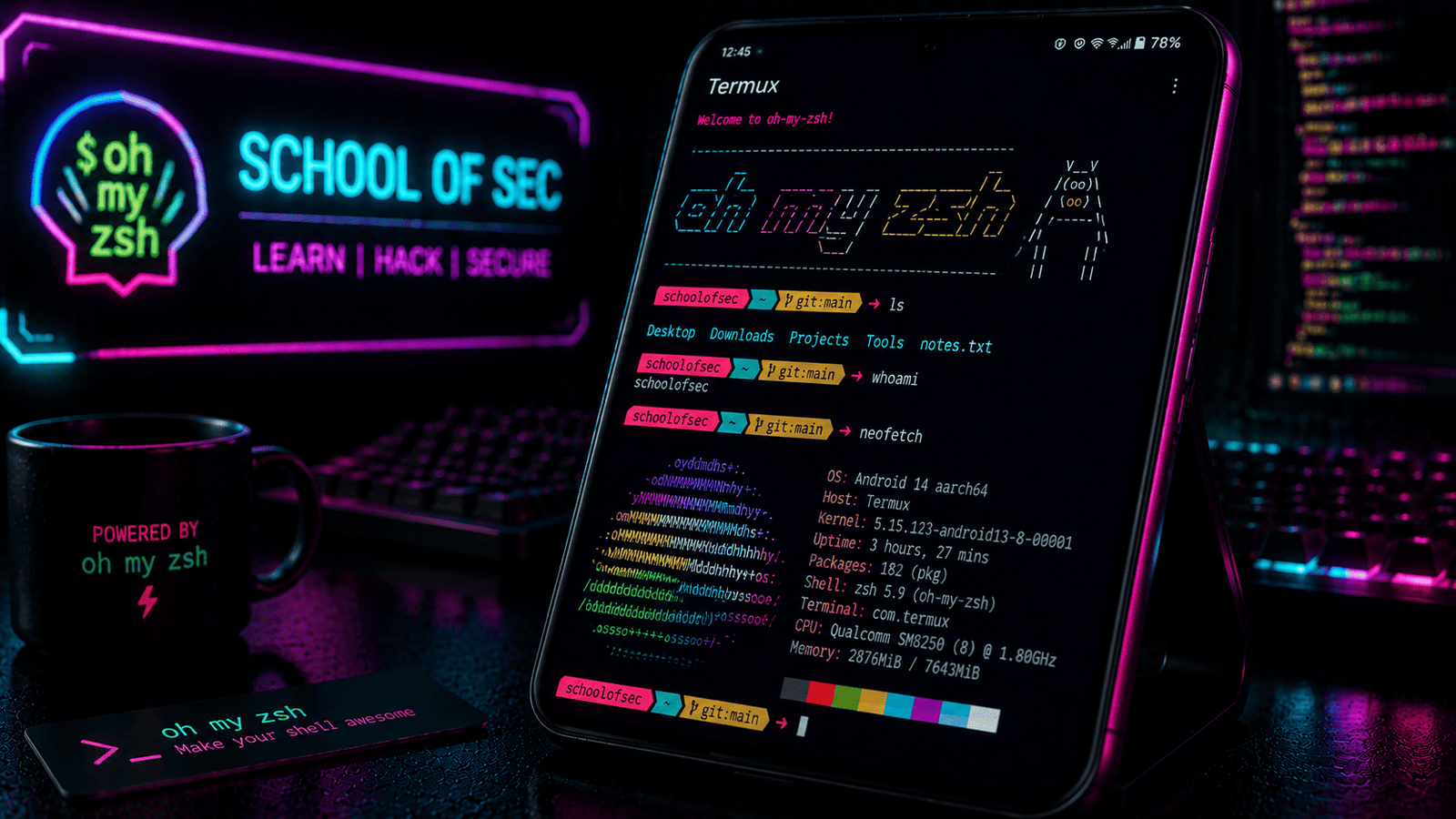
In This Post I Am Going To Show How To Install OhMyZsh In Termux, One Of The Best Terminal Customization Tool Every Linux Distribution. We Will See How We Can Install And Customize OhMyZsh In Termux Also We Will See Some Additional Customization And My Own Choices For The Terminal. Like Other Posts We Will Start From The Definition Followed By The Installation Then We Will See How We Can Customize OhMyZsh In Termux.
What Is OhMyZsh?
OhMyZsh Is One Of The Best Customization Tool That Works With The Inbuilt Zsh And Upgrades The Terminal Experience. It Is A An Open Source Framework That Helps To Manage Zsh Configuration. It Helps The User In A Lot In Terminal In Case Of User Experience And Smoothness. It Gives Cool Colours Much Abilities To A Terminal Like Seeing In Which Directory You Are. If You Are A Command Line Interface User You Will Love It.
How To Install OhMyZsh In Termux?
We Will Install OhMyZsh Using The User Guide That Is Produced By The OhMyZsh Itself. We Will First Update And Upgrade All The Termux Packages Then We Will Get The Wget Installation Followed By The Installation Of OhMyZsh. Follow The Below Steps One By One To Install OhMyZsh In Termux:
Step 1: First Of All Open The Termux And Type pkg update & pkg upgrade -y Command In Termux To Update And Upgrade All The Termux Packages.
pkg update & pkg upgrade -yStep 2: Now We Will Install The Zsh In Termux Using pkg install zsh -y Command. This Is Must Utility Tool For OhMyZsh In Termux.
pkg install zsh -y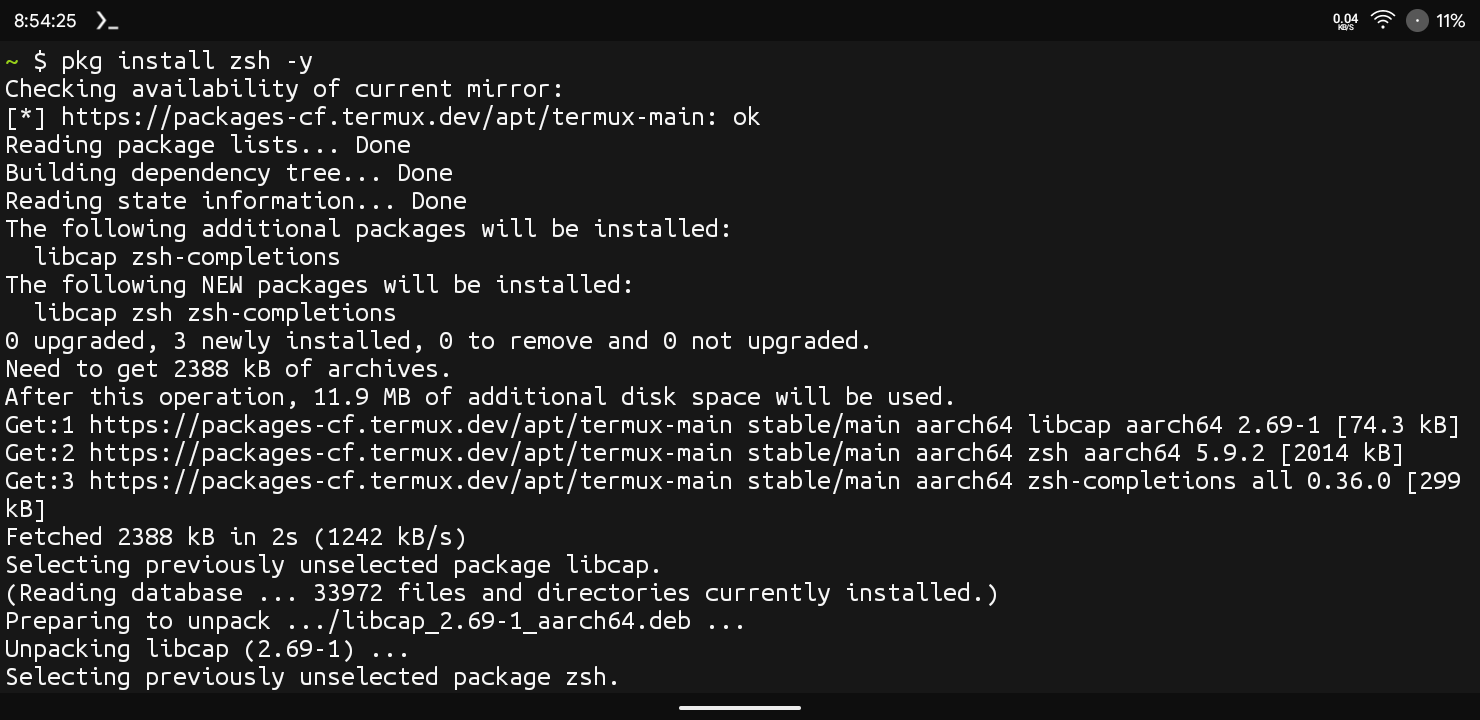
Step 3: Now We Will Install Git And Curl In Termux Using pkg install git curl -y Command And Wait For The Installation To Be Completed.
pkg install git curl -yStep 4: Now We Will Install The Installation Script And Install OhMyZsh In Termux Using sh -c "$(curl -fssl https://raw.githubusercontent.com/ohmyzsh/ohmyzsh/master/tools/install.sh)" Command.
sh -c "$(curl -fsSL https://raw.githubusercontent.com/ohmyzsh/ohmyzsh/master/tools/install.sh)"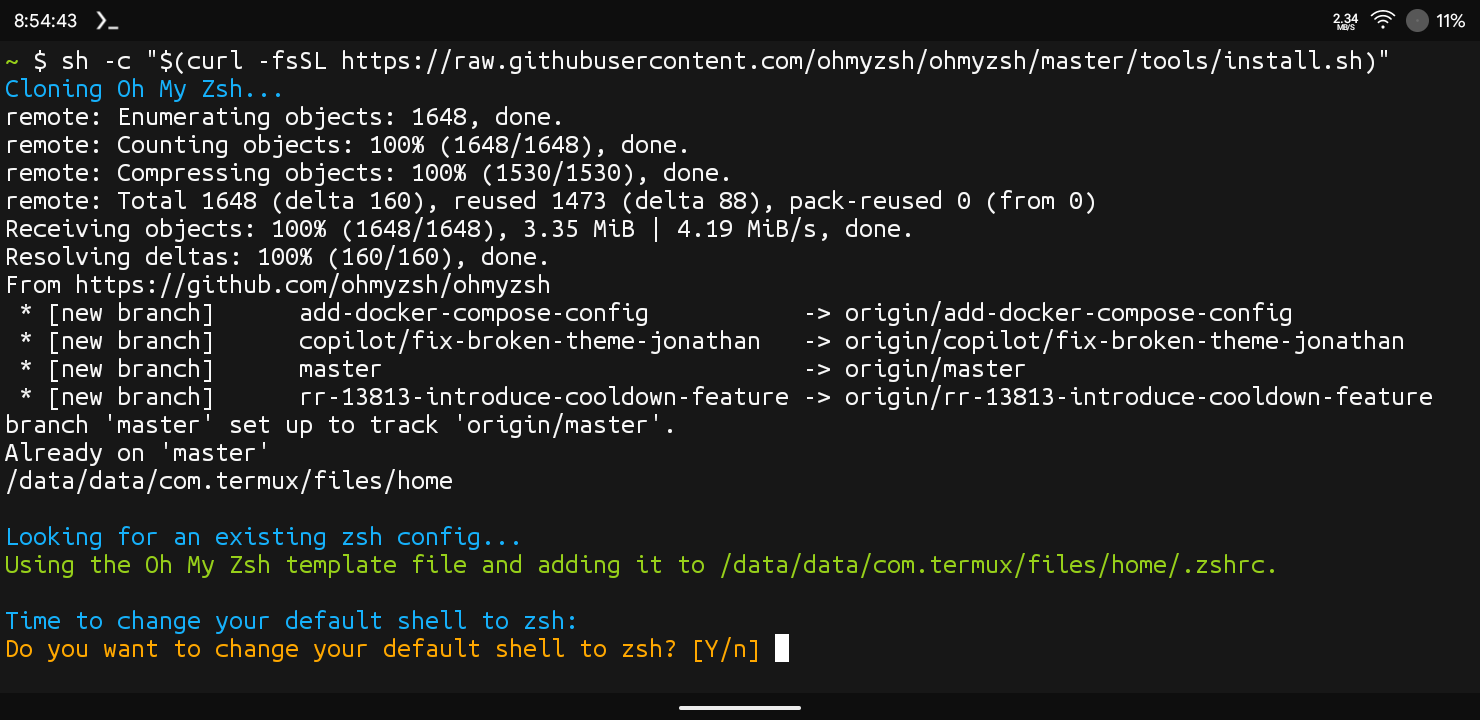
After This Command, It Will Show Whether You Want To Set OhMyZsh As Your Default Theme. Type Y And Press Enter To Continue.
We Have Finally Installed OhMyZsh In Termux And Now We Can Easily Edit The Terminal And Also Add Many Features In Termux Using OhMyZsh. Now We Will Move To The Next Step That Is The Customization In Termux.
How To Setup OhMyZsh In Termux?
Once The Installation Has Been Completed Now We Can Move On The Next Step That Is How We Setup OhMyZsh In Termux And Set New Colourful Theme In Termux. Follow The Below Steps One By One To List The Themes In OhMyZsh And Set A New Theme In Termux:
Step 1: After The Installation We Will First List All The Themes Available On The OhMyZsh In Termux. For That We Need To Type omz theme list Command In Termux. It Will Show The List Of Themes. Now Choose The Theme, You Can View The Preview Of The Theme On OhMyZsh Website.
omz theme list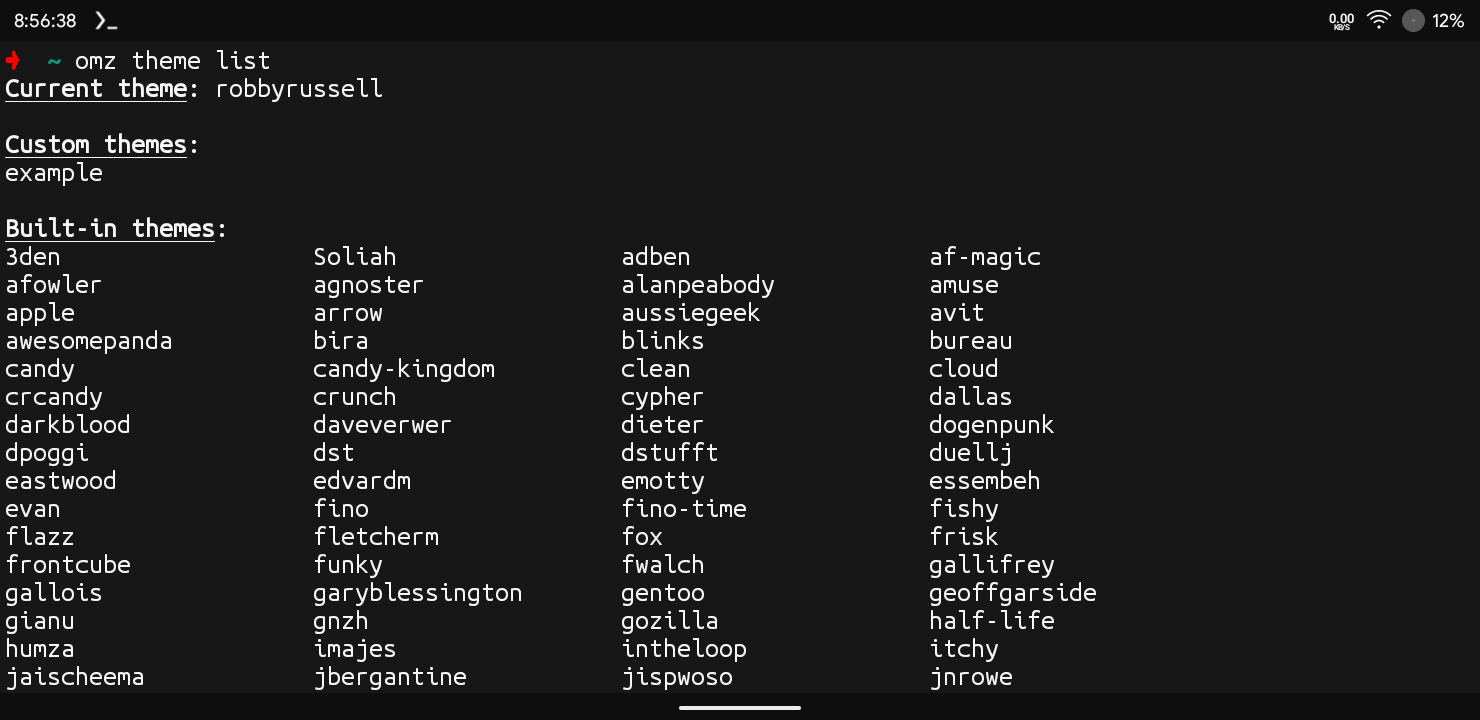
Step 2: After Choosing The Theme You Need To Type omz theme set [theme-name] Command In Termux. Replace [theme-name] With The Theme You Want To Apply. In My Case In Image I Have Set Af-Magic Theme.
omz theme set [theme-name]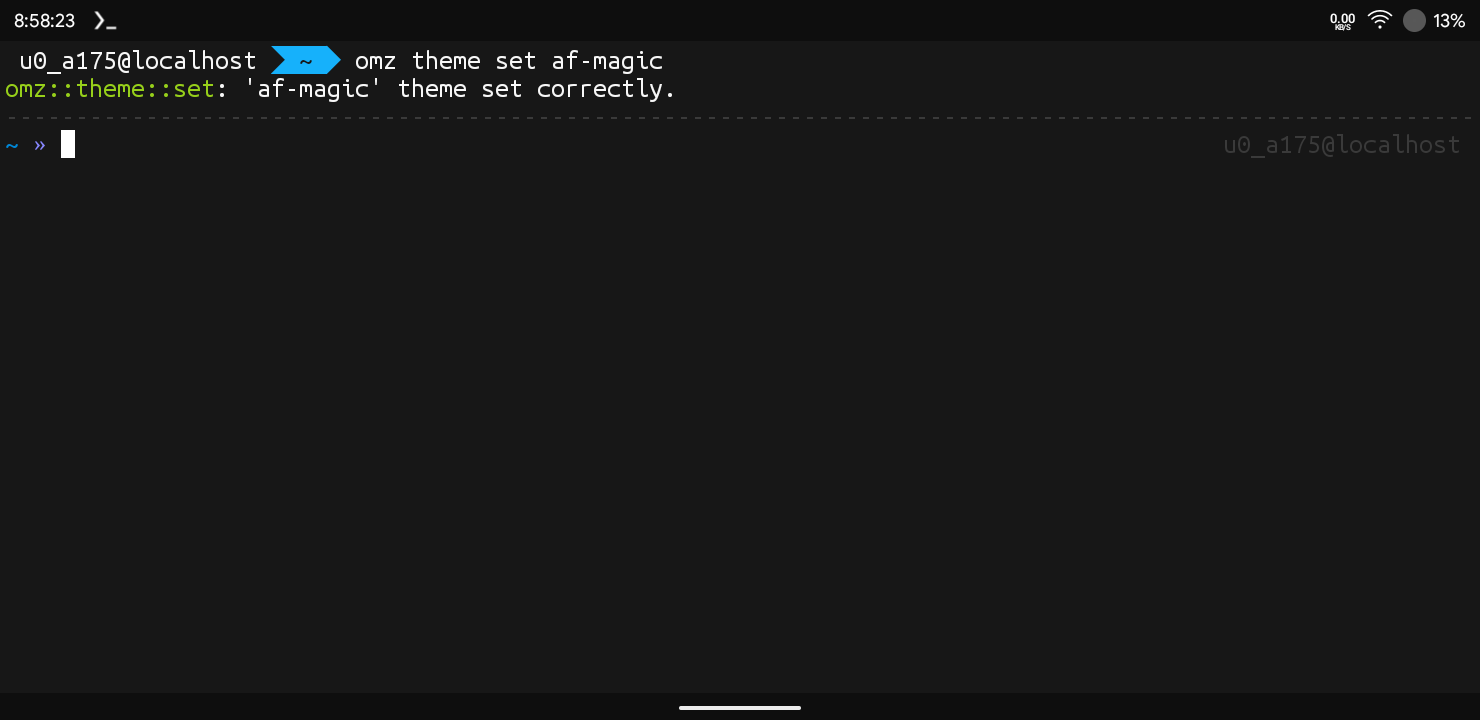
This Is How We Can Set A New Theme In Termux Using OhMyZsh. You Can Also Use Many Other Theme With Many Different Features In Termux. You Just Need To Check Out A Bunch Of Themes And Choose One Of Them, My Personal Favourite Is Agnoster And Af-Magic.
Errors And Fixes:
zsh: Command Not Found : This Only Happens When The OhMyZsh Has Not Been Successfully Installed In Termux Or Zsh Has Not Been Installed Correctly. You Just Need To Reinstall The OhMyZsh In Termux Using Above Methhod.
Termux Still Opens In Bash Instead Of Zsh : This Means The OhMyZsh Has Not Been Set As You Default Theme Or Shell. You Need To Set It As Default Using chsh -s zsh Command.
chsh -s zshConclusion:
OhMyZsh Is One Of The Best Things You Can Add In Termux, It Enables A User To Run The Termux In A More Smooth And Interactive Way. You Can Also Add Many Plugin That Come Across With Shortcuts That Can Help A Lot In Doing A Lot Of Task With Just Single Command. This Was All About OhMyZsh In Termux, I Hope You Have Liked This Post. If You Have Any Questions Related To This Post You Can Tell Me In The Comments. Thanks For Reading.


1 thought on “How To Install OhMyZsh In Termux : Complete Setup Guide 2026”