

In This Post I Am Going To Show You How Can We Install OpenSSH In Termux And Use It As A Remote Terminal In Other Device. This Post Is All About How Can We Use OpenSSH To Develop A Secure Tunnel Connection To Other Device And Use The Termux App In Another Terminal. We Will Start From The Basic Definition Followed By The Installation And Then Usage Of OpenSSH In Termux. So Without Wasting Time Lets Start,
What Is OpenSSH?
SSH Is A Protocol That Is Used To Access A Command Line Over A Network With A Secure Protocol And All The Transfer Encrypted. It Is One Of The Mostly Used Protocol To Access Remote Device On Command Line. It Consists Of Two Devices One Is Client And Other Is Server.
How To Install OpenSSH In Termux?
We Can Install OpenSSH In Termux Using A Simple Command As It Is Already Been Available In Termux Packages. We Will First Update The Termux Packages Then We Will Install OpenSSH In Termux. Follow The Below Steps One By One To Install OpenSSH In Termux:
Step 1: First Of All Open The Termux App And Update And Upgrade All The Termux Packages Using pkg update && pkg upgrade -y Command In Termux.
pkg update && pkg upgrade -yStep 2: Once The Termux Packages Has Been Updated, We Can Install OpenSSH In Termux Using pkg install openssh -y Command And Wait For The Installation To Complete.
pkg install openssh -y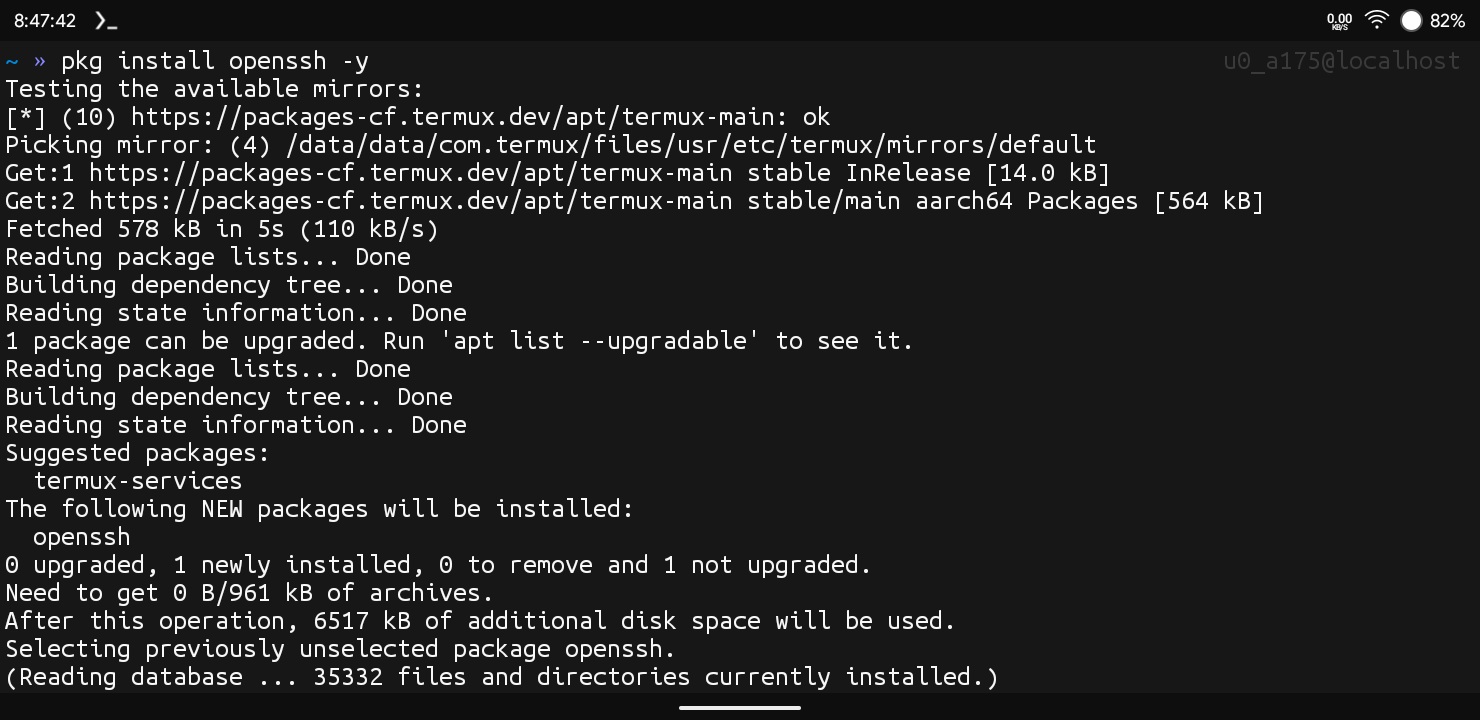
Step 3: Once The Installation Of OpenSSH Will Be Completed In Termux, We Can Verify The Installation Using ssh -V Command In Termux.
ssh -VThis Command Will Show The Version Of OpenSSH In Termux. Now After We Have Completed The Installation Of OpenSSH In Termux, We Can See How To Use OpenSSH In Termux.
How To Use OpenSSH In Termux?
We Will Use The Openssh In Termux And Use Our Termux As A Client Device And Connect It With My Laptop As A Server In This Procedure. So We Need To Follow The Steps One By One To See How We Can Access Our Termux On Other Device Using SSH Protocol Or Openssh In Termux:
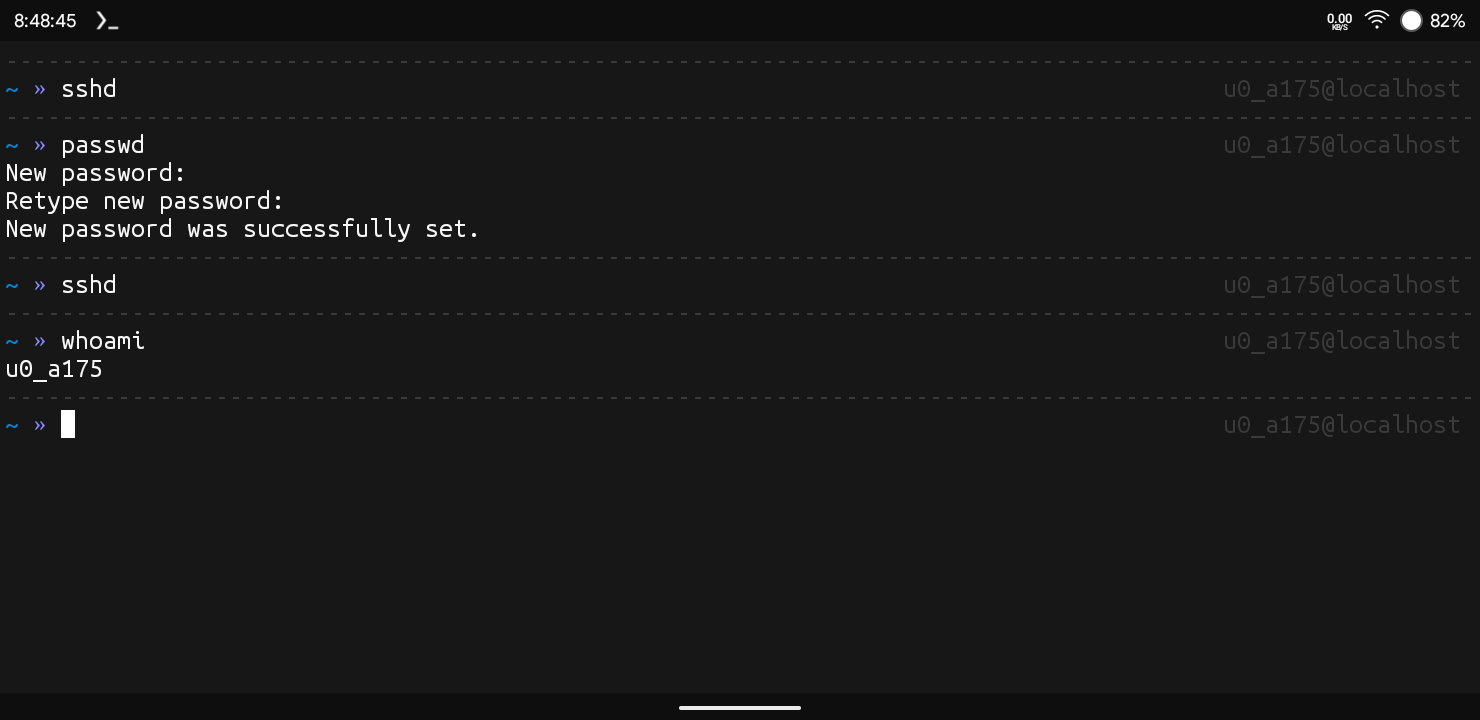
Step 1: First Of All We Need To Start The SSH Server In Termux For That We Will Type sshd Command In Termux.
sshdStep 2: Now We Will Set A Password For A Remote Connection In Termux Using passwd Command In Termux. We Will Enter Password For The Connection And Confirm The Password Again To Complete.
passwdStep 3: Now We Will Type The SSH Command Again In Termux Followed By The whoami Command In Termux To Check The Username.
whoamiStep 4: Now We Will See Our IP Address Of The Device By Just Going Into The Device Settings. If You Are Connected To The WiFi You Need To Go To The WiFi Settings Of That Connected WiFi And You Can See The IP Address There.
Step 5: Once You Grabbed All The Details From The Device We Will Move To The Other Device And Open The Terminal There And Type ssh u0_a123@192.168.1.x -p 8022 Command There And Wait For The Connection To Establish. Replace u0_a123 With Your Actual Termux Username And 192.168.1.x With Your Device’s IP.
ssh u0_a123@192.168.1.x -p 8022Wow, That Was So Easy To Do, Using Some Of The Simple Command In An SSH Or Openssh Utility We Are Able To Access The Other Terminal From Other Device. Now We Can Run And Execute Commands And We Can Also Copy And Paste Files. After The Last Step It May Show A Prompt Type Yes And Click On The Enter To Establish A Connection.
Also Read: How To Install Vim In Termux : Complete Setup Guide 2026
Common Errors And Fixes:
SSH, Command Not Found: If You Encounter An Error Like This In Termux While Using Openssh In Termux, You Just Need To Install Openssh In Termux Once Again As It Is Not Properly Installed In Termux. You Can Simply Type pkg install openssh -y Command To Install Openssh In Termux.
pkg install openssh -yConnection Refused” When Connecting To Your Termux Device: Whenever An Error Like This Occur One Must Check The Port And IP Address Once Again Also Remember The Default Port For SSH In Termux Is 8022 And Not 22.
Permission Denied (Publickey,Password) : If An Error Like This Occurs In The Terminal Check You Password And Also Check If You Have Accidently Kept You Caps Lock On. If The Problem Persists Set Password Again In Termux Using Passwd Command.
Conclusion:
OpenSSH Is Used To Manage And Transfer Files Securely Using SCP Protocol. It Is Used To Remotely Manage A Home Server Or A Raspberry Pi From Your Own Device. One Can Use Their Phone To Manage A Big Machine Or A Computer From Another Room. OpenSSH Is A Great Remote Tool To Access The Other Computer Terminal. In This Post We Discussed The Most Of The Things In SSH Like How To Install OpenSSH In Termux. I Hope You Have Liked This Post. Thanks For Reading.





1 thought on “How To Install OpenSSH In Termux : Complete Setup Guide 2026”